
Design and Order Your Cabinets
Click any cabinet below to watch a step-by-step video showing you how to customise and order it online.
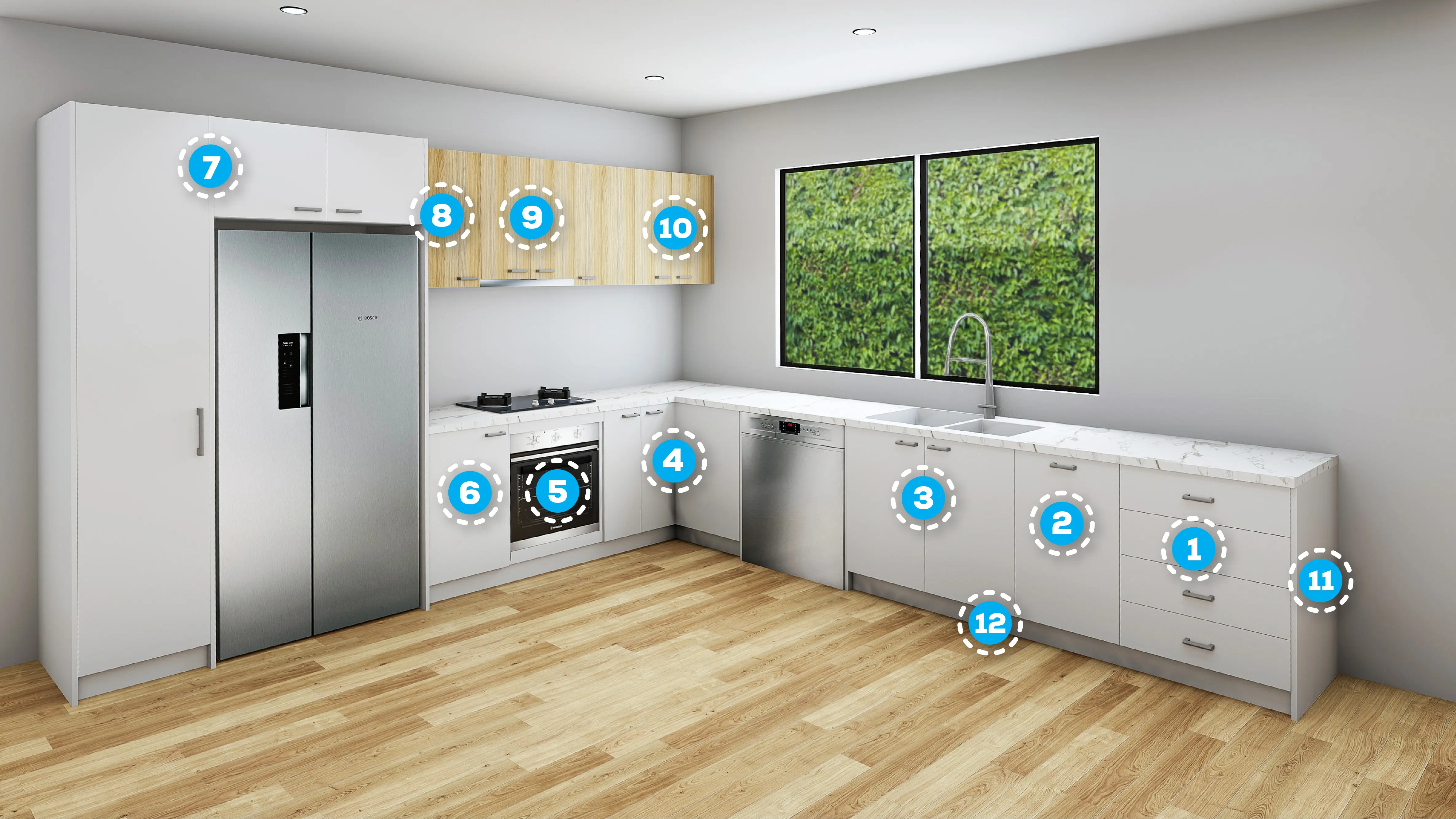
Base 4 Drawer
Accessible storage for frequent use items.
Base Bin Unit
Integrated sliding drawer to house your bin unit.
Base 2 Door
Ample storage and plumbing access.
Base Corner L-Shape
Deep, wide-access storage for hard-to-reach spaces.
Base Oven
Seamlessly integrated oven cabinet.
Base Single Door
Versatile, simple kitchen storage solution.
Tall Pantry & Upper 2 Door
Seamless, built-in storage around your refrigerator.
Upper Single Door
Versatile, simple overhead kitchen storage solution.
Rangehood Cabinet
Seamlessly integrated rangehood.
Upper 2 Door
Overhead cabinet to maximise storage space.
Panels & Fillers
Finishing touches for a professional high-end kitchen.
Kickboards
Conceals cabinet legs and prevents dust underneath units.
How It Works
Order custom cabinetry online in four simple steps.
Sign Up Free
Create your account and access the online ordering portal.
Build Your Project
Choose your cabinets, enter your sizes and customise your options.
See Your Pricing
See pricing as you build and make changes before ordering.
Submit Your Order
Submit your completed project directly to the manufacturer.